







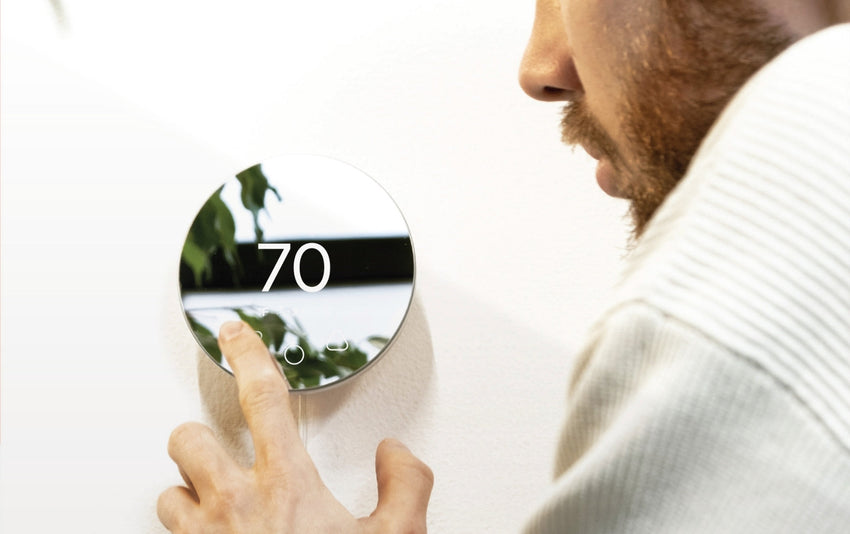
In this guide we’ll cover how you can easily adjust the lighting level of Klima’s buttons.
Whether you prefer them to always stay lit, turn off at night, or only light up when in use, the app gives you full control.
You can also set up automations to have the lights adjust automatically based on the time of day - eliminating the need for manual changes.
Klima - Smart Home Thermostat for Mini-splits, Air Conditioners and Heatpumps
Compatible with all brands of ACs and Mini-Splits Automate Climate Management Control remotely Reduce Energy Consumption Monitor bills in realtime
Try Now
Method 1: Adjust Through Settings
1. Open the Boldr Energy app.
2. On the bottom right corner, you will find settings, click it.
3. On the settings page, click Devices.
4. Select the Klima device you want to adjust.
5. Tap Klima Button Lights.
6. Choose from the following lighting options for your Klima device:
- Lit from sunrise to sunset: Button lights are on during daylight hours.
- Lit during the day and off at night: Lights stay on from 8 AM to 8 PM and turn off at night.
- Always lit: Button lights remain on at all times.
-
Only lit while interacting: Lights turn on only when you press a button on your device.


Method 2: Adjust Through the Home Page
1. On the home page of the Boldr Energy app, tap the room where your Klima is located.
2. Tap the settings icon in the top right corner.
3. Select Devices.
4. Choose the Klima device you want to adjust.
5. Tap Klima Button Lights.
6. Choose from the following lighting options for your Klima device:
- Lit from sunrise to sunset: Button lights are on during daylight hours.
- Lit during the day and off at night: Lights stay on from 8 AM to 8 PM and turn off at night.
- Always lit: Button lights remain on at all times.
-
Only lit while interacting: Lights turn on only when you press a button on your device.


Download & log into the Boldr Energy App:
|
|
Click on the icons below to If you have any questions, you can always reach our customer success team here. |



Klima - Smart Home Thermostat for Mini-splits, Air Conditioners and Heatpumps
Compatible with all brands of ACs and Mini-Splits Automate Climate Management Control remotely Reduce Energy Consumption Monitor bills in realtime
Try NowRecent Articles

Mini-Split Outdoor Unit Clearance 2026 Guide
A mini-split outdoor unit needs air. Lots of it. The condenser pull...
Read More
What Happens if Your Mini-Split Is Too Small?
Most homeowner sizing advice focuses on oversized mini-splits. But ...
Read More
Does a Mini-Split Need a Manual J Load Calculation?
A 500-square-foot room does not automatically need a 12,000 BTU min...
Read More
Signs Your Mini-Split May Have a Refrigerant Leak
A mini-split does not normally “use up” refrigerant the way a car u...
Read More
Mini-Split Minimum Capacity: Why It Matters
When homeowners compare mini-splits, they normally look at the bigg...
Read More