



The Boldr Energy app allows you to add and delete rooms, helping you organize and manage your Boldr devices efficiently.
With this feature, you can create different rooms that represent specific areas of your home, such as the kitchen, living room, or bedroom.
Why Rooms Are Important in the Boldr Energy App
Rooms are important when it comes to controlling your Boldr devices. They allow you to:
1. Create customized schedules for your Boldr devices placed in specific areas of your home.
2. Easily manage your Boldr devices based on their location in your home.
3. Improve efficiency by ensuring that each Boldr device operates only where and when it’s needed.
Klima - Smart Home Thermostat for Mini-splits, Air Conditioners and Heatpumps
Compatible with all brands of ACs and Mini-Splits Automate Climate Management Control remotely Reduce Energy Consumption Monitor bills in realtime
Try Now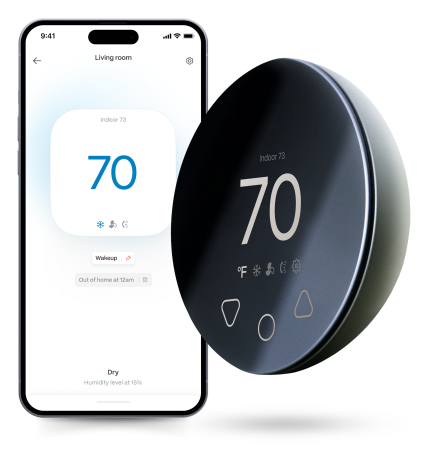
How to Add a Room in The Boldr Energy app:
-
- Open the Boldr Energy app.
- Go to Settings.
- Tap Room Details.
- On the bottom right corner, press the Create Room icon.
- Choose the type of room that represents your space, (e.g., Living Room, Bedroom, Home Office, Kitchen).
- Enter a name for your room.
- That’s it! Your new room is now created.


How to Delete a Room in The Boldr Energy app:
- Open the Boldr Energy app.
- Go to Settings.
- Tap Room Details.
- Find the room you want to delete and tap the Settings icon next to it.
- Select Edit Details.
- On the Room Details page, tap Delete Room.
- Confirm the action, and the room will be removed.
- All done, your room is now deleted!
Note: Deleting a room, disconnects all the devices connected to it.


Download & log into the Boldr Energy App:
|
|
Click on the icons below to If you have any questions, you can always reach our customer success team here. |


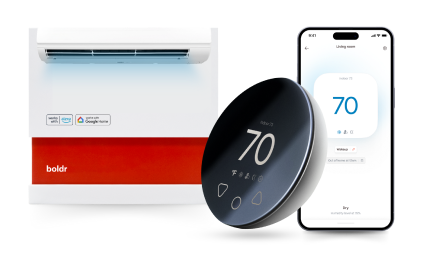
Klima - Smart Home Thermostat for Mini-splits, Air Conditioners and Heatpumps
Compatible with all brands of ACs and Mini-Splits Automate Climate Management Control remotely Reduce Energy Consumption Monitor bills in realtime
Try NowRecent Articles

How to Heat an ADU or Guest House: Heat Options
An accessory dwelling unit, a backyard guest house or an in-law su...
Read More
What Is the Safest Type of Space Heater? (2026)
What Is the Safest Type of Space Heater? There isn't a single safe...
Read More
Why Is This Room Always Cold? The Real Fixes, in Order
The instinct when a room runs cold is to buy a heater. The better ...
Read More
Best Heater for Airbnb; Rental Properties, No Install
Best Heater for Airbnb & Rental Properties (No Permanent Insta...
Read More
How to Heat a Basement That's Always Cold
A basement runs cold for a different reason than a drafty upstairs...
Read More