







Sleep mode on a mini-split gradually adjusts the temperature setpoint over several hours after you activate it, designed to maintain comfortable sleeping conditions through the night without overcooling or overheating the bedroom. Most mini-splits shift the setpoint by 1–2°F upward (in cooling) or downward (in heating) over 1–2 hours after sleep mode is activated, then hold that adjusted temperature for the rest of the night. The fan also runs at a lower speed to reduce noise.
Compatible with all brands of ACs and Mini-Splits
Automate Climate Management
Control remotely
Reduce Energy Consumption
Monitor bills in realtimeKlima - Smart Home Thermostat for Mini-splits, Air Conditioners and Heatpumps
What Sleep Mode Does
| Feature | Typical Behaviour |
|---|---|
| Temperature adjustment (cooling) | Raises setpoint by 1–2°F over 1–2 hours, then holds |
| Temperature adjustment (heating) | Lowers setpoint by 2–4°F over 1–2 hours, then holds |
| Fan speed | Automatically set to lowest quiet setting |
| Auto shutoff | Some models shut off after 7–8 hours; others run until manually stopped |
| Display | Display dims or turns off to reduce light in the room |
Why the Temperature Adjustment Helps Sleep
Research on sleep physiology consistently shows that the body's core temperature naturally drops by 1–2°F during the first hours of sleep as part of the sleep-onset process. A slight upward adjustment in cooling setpoint (allowing the room to be a degree or two warmer) works with this natural process rather than against it — the body does the cooling itself. Conversely, as sleep deepens, people are less sensitive to cold, which is why the heating setpoint can be lowered overnight without disrupting sleep.
How Sleep Mode Differs by Brand
The exact behaviour of sleep mode varies between manufacturers:
- Mitsubishi: "Good Sleep" mode — gradually raises cooling setpoint by 2°F over 1 hour, holds for 7 hours, then returns to original setpoint before wake time
- Daikin: Sleep mode gradually adjusts setpoint over 1–2 hours and shuts off after a set timer period
- LG: Sleep mode lowers fan speed and adjusts temperature over 2 hours; auto-off timer optional
- Fujitsu: "Sleep" button runs at low fan speed with automatic 1°F setpoint adjustment per hour for 2 hours
- MrCool / Pioneer / budget brands: Sleep mode typically just sets the fan to low speed and may include a 7–8 hour auto-off timer
Should You Use Sleep Mode?
Sleep mode is worth using if you run the mini-split through the night in a bedroom. The lower fan speed reduces airflow noise — the most common sleep disruption from a running mini-split. The temperature adjustment is subtle and most people find it comfortable. The main reason to skip it is if your bedroom gets significantly warmer or cooler in the early morning and you want the unit to actively maintain a specific temperature — in that case, manual mode with a schedule is more precise.
Frequently Asked Questions
Does sleep mode use less electricity?
Yes, modestly. Lower fan speed reduces fan motor energy consumption slightly. The temperature setpoint adjustment may reduce compressor runtime if the allowed room temperature is slightly warmer (in cooling) or cooler (in heating) than your daytime setpoint. The savings are real but modest — sleep mode is primarily a comfort feature, not an energy-saving feature.
Can I combine sleep mode with a timer?
Yes — most mini-splits allow you to set a timer to turn the unit off after a set number of hours while sleep mode is active. This is useful if you want the unit to run for 3–4 hours after you fall asleep and then shut off, rather than running all night.
Related reading:
→ Mini-Split Auto Mode Explained: What Does It Actually Do?
→ Mini-Split Scheduling: How to Set a Temperature Schedule
→ Mini-Split for a Bedroom: What Size Do You Need?


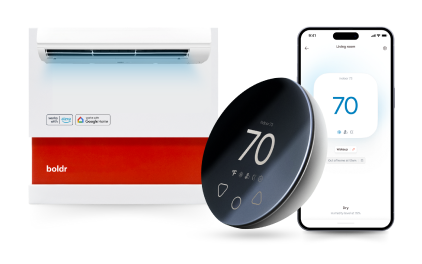
Klima - Smart Home Controller for Mini-splits, Air Conditioners and Heatpumps
Compatible with all brands of ACs and Mini-Splits Automate Climate Management Control remotely Reduce Energy Consumption Monitor bills in realtime
Try NowRecent Articles

Mini-Split Outdoor Unit Clearance 2026 Guide
A mini-split outdoor unit needs air. Lots of it. The condenser pull...
Read More
What Happens if Your Mini-Split Is Too Small?
Most homeowner sizing advice focuses on oversized mini-splits. But ...
Read More
Does a Mini-Split Need a Manual J Load Calculation?
A 500-square-foot room does not automatically need a 12,000 BTU min...
Read More
Signs Your Mini-Split May Have a Refrigerant Leak
A mini-split does not normally “use up” refrigerant the way a car u...
Read More
Mini-Split Minimum Capacity: Why It Matters
When homeowners compare mini-splits, they normally look at the bigg...
Read More