








A mini-split that repeatedly disappears from its app can turn smart control into a daily frustration.
The air conditioner may still work from its handheld remote, but schedules, app controls and remote access stop working whenever the Wi-Fi connection drops.
In many cases, the mini-split itself is not broken. The problem is usually related to network compatibility, signal strength, router settings or the position of the Wi-Fi adapter.
Compatible with all brands of ACs and Mini-Splits
Automate Climate Management
Control remotely
Reduce Energy Consumption
Monitor bills in realtimeKlima - Smart Home Thermostat for Mini-splits, Air Conditioners and Heatpumps
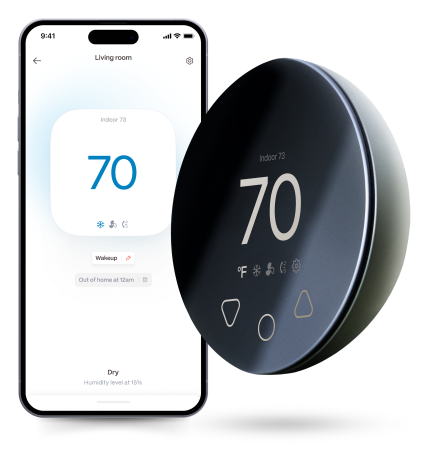
Why Does a Mini-Split Keep Going Offline?
Common causes include:
- Weak Wi-Fi near the indoor unit
- An incompatible network frequency
- A changed Wi-Fi password
- Router security settings
- Band steering
- A crowded wireless network
- A failed Wi-Fi adapter
- Power interruptions
- An outdated app
- Cloud-service interruptions
Start with the network before assuming the HVAC equipment needs repair.
Check Whether the Mini-Split Requires 2.4 GHz
Many smart HVAC devices connect only to a 2.4 GHz Wi-Fi network.
Modern routers may combine 2.4 GHz and 5 GHz under one network name. This feature is convenient for phones and laptops, but it can sometimes interfere with the setup of smart-home devices.
During installation, you may need to:
- Temporarily separate the 2.4 GHz and 5 GHz networks.
- Connect your phone to the 2.4 GHz network.
- Complete the mini-split or controller setup.
- Re-enable your normal router configuration afterward.
Do not disable router security or expose your network unnecessarily.
Test the Signal Near the Indoor Unit
A strong signal beside the router does not guarantee a reliable connection near the mini-split.
Walls, appliances, mirrors, metal ductwork and reinforced concrete can weaken Wi-Fi.
Stand beside the mini-split and check whether your phone maintains a stable connection. A Wi-Fi analyser or your router’s app may provide more useful signal information.
Weak coverage can often be improved with:
- A better router position
- A mesh Wi-Fi system
- An additional access point
- Moving the smart controller
- Removing large obstructions
Avoid positioning a controller inside a cabinet or behind a television.
Restart the Correct Devices
Restart in this order:
- Close the HVAC app.
- Restart the router.
- Allow the internet connection to return fully.
- Restart the mini-split’s Wi-Fi adapter or smart controller.
- Reopen the app.
- Check whether the device reconnects.
Avoid repeatedly cutting power to the complete HVAC system unless the manufacturer recommends it.
Did the Network Name or Password Change?
Smart devices usually do not update themselves when you change:
- Your router
- The Wi-Fi network name
- The password
- The security type
- Your internet provider’s equipment
The mini-split or controller may need to be added to the network again.
Record your schedules and automation settings before resetting the device because some products erase these during a factory reset.
Check Router Security Settings
A smart controller may have difficulty connecting when the router uses:
- WPA3-only security
- Hidden network names
- Enterprise authentication
- Client isolation
- MAC-address filtering
- A captive login page
- Unsupported special characters
Do not weaken your entire network permanently just to connect one appliance. Consult the equipment documentation and router manufacturer for a secure, compatible configuration.
Daikin’s current wireless guidance, for example, advises users to protect Wi-Fi credentials and app login information because connected HVAC devices transmit data over a wireless network.
Why Does It Disconnect at the Same Time Every Day?
A predictable disconnection can point to:
- A router reboot schedule
- Internet-provider maintenance
- Parental controls
- Network access schedules
- Power-saving settings
- A smart plug cutting power
- A mesh node changing channels
- An automation conflict
Check the router’s event log and scheduled settings.
The Mini-Split Works, but the App Says It Is Offline
The HVAC equipment and smart connection are often separate systems.
An offline app does not necessarily mean the mini-split has stopped cooling or heating. The handheld remote may still communicate directly with the indoor unit.
This distinction is important for pets, rental homes and temperature-sensitive spaces. Cloud access should not be treated as the only safety measure.
When to Replace the Wi-Fi Adapter
The adapter may be failing if:
- It no longer enters pairing mode.
- Indicator lights do not illuminate.
- It disconnects despite a strong network.
- It becomes unusually hot.
- It repeatedly loses its configuration.
- The manufacturer confirms it is no longer supported.
Use an approved adapter or compatible external controller rather than connecting unverified hardware to the mini-split.
Frequently Asked Questions
Why does my mini-split work from the remote but not the app?
The HVAC system is operating, but its Wi-Fi adapter, controller, network or cloud connection is unavailable.
Will 5 GHz Wi-Fi work with a mini-split?
Some products support it, but many smart HVAC devices require 2.4 GHz. Check the exact model.
Should I factory-reset the controller?
Use a factory reset only after simpler steps fail because it may remove schedules, integrations and device settings.
Can poor Wi-Fi stop the mini-split from cooling?
The unit will normally continue responding to its physical remote, but this depends on the product and configuration.


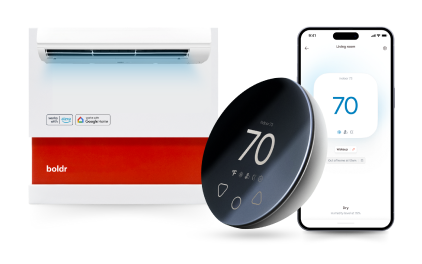
Klima - Smart Home Controller for Mini-splits, Air Conditioners and Heatpumps
Compatible with all brands of ACs and Mini-Splits Automate Climate Management Control remotely Reduce Energy Consumption Monitor bills in realtime
Try NowRecent Articles

Are Mini-Splits Safe for Pets Home Alone in 2026?
A mini-split can keep pets comfortable while the household is away,...
Read More
Mini-Split After a Power Outage: Why It Did Not Turn Back On
A mini-split may not restart immediately after a power outage. This...
Read More
Where Should a Mini-Split Be Installed in a Bedroom?
The best place for a bedroom mini-split is usually high on an unobs...
Read More
Why Does My Mini-Split Smell? Seven Odours You Should Not Ignore
A mini-split should not make the room smell worse when it starts. A...
Read More
Mini-Split Wi-Fi Keeps Disconnecting? Here’s How to Fix It
A mini-split that repeatedly disappears from its app can turn smart...
Read More