








Resetting a Midea mini-split uses the same procedure as most ductless systems — a soft reset via the remote or a hard reset at the breaker. Midea's ductless platform underpins many brands (Bosch, Pioneer, and others), so this guide applies to Midea-branded units as well as Midea-platform products from other manufacturers.
Compatible with all brands of ACs and Mini-Splits
Automate Climate Management
Control remotely
Reduce Energy Consumption
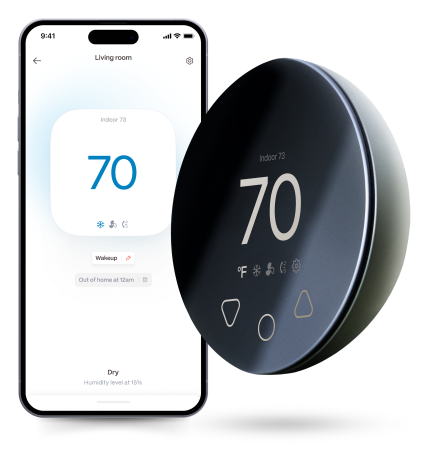
Monitor bills in realtimeKlima - Smart Home Thermostat for Mini-splits, Air Conditioners and Heatpumps
Method 1: Soft Reset (Remote)
Step 1 — Press ON/OFF on the Midea remote to turn the unit off.
Step 2 — Wait 30 seconds.
Step 3 — Press ON/OFF to restart.
Step 4 — Wait 3 full minutes before testing. The Midea compressor protection delay is 3 minutes — the unit will not cool or heat during this window.
Method 2: Hard Reset (Breaker)
Step 1 — Turn the unit off at the remote.
Step 2 — Locate the dedicated 240V breaker for the Midea mini-split.
Step 3 — Flip to OFF. Wait 30 seconds.
Step 4 — Flip to ON.
Step 5 — Wait 3 full minutes before pressing the remote.
Resetting the Midea Filter Indicator
Press and hold the FILTER button on the Midea remote for 3 seconds after cleaning the filter to clear the CL or CF reminder indicator. The runtime counter resets to zero.
Midea Platform Applicability
If your unit is a Bosch, Pioneer, or Carrier ductless model built on the Midea platform, the reset procedure above applies. The 3-minute compressor protection delay, the breaker reset sequence, and the filter indicator reset method are consistent across all Midea-platform brands.
Stay cool and save more. Use code JONES15 to get 15% off your entire order—no strings attached.
Upgrade your comfort with a Klima today.
Frequently Asked Questions
My Midea shows P2 (drain fault) — will a reset help?
A reset clears the P2 code from the display but does not clear the physical blockage causing it. First clear the condensate drain line (flush with warm water or use a wet/dry vac on the drain exit point), then perform a soft reset to clear the code. If P2 returns immediately, the drain is still blocked or the drain pump (if equipped) has failed.
After a power outage, my Midea auto-restarted. Is that normal?
Some Midea models include an auto-restart function that returns the unit to its pre-outage operating state when power is restored. Whether auto-restart is active depends on the model and settings. If you do not want the unit to restart automatically after outages, check your model's owner's manual for the auto-restart setting and disable it.
Related reading:
→ How to Reset a Mini-Split: Step-by-Step for Every Brand
→ Midea Mini-Split Error Codes: What Each Code Means
→ Mini-Split Drain Line Clogged: Signs and How to Clear It


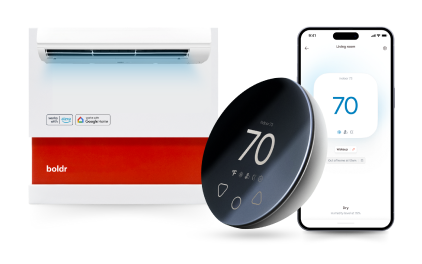
Klima - Smart Home Controller for Mini-splits, Air Conditioners and Heatpumps
Compatible with all brands of ACs and Mini-Splits Automate Climate Management Control remotely Reduce Energy Consumption Monitor bills in realtime
Try NowRecent Articles

Mini-Split Outdoor Unit Clearance 2026 Guide
A mini-split outdoor unit needs air. Lots of it. The condenser pull...
Read More
What Happens if Your Mini-Split Is Too Small?
Most homeowner sizing advice focuses on oversized mini-splits. But ...
Read More
Does a Mini-Split Need a Manual J Load Calculation?
A 500-square-foot room does not automatically need a 12,000 BTU min...
Read More
Signs Your Mini-Split May Have a Refrigerant Leak
A mini-split does not normally “use up” refrigerant the way a car u...
Read More
Mini-Split Minimum Capacity: Why It Matters
When homeowners compare mini-splits, they normally look at the bigg...
Read More