







A mini-split's WiFi disconnecting repeatedly — losing connection to the app, failing to respond to remote commands, or showing "offline" in the smart home app — is one of the most frustrating smart home problems because it is caused by any of four completely different root causes. Identifying which one applies to your situation cuts the diagnostic time from hours to minutes. This guide covers them all.
Compatible with all brands of ACs and Mini-Splits
Automate Climate Management
Control remotely
Reduce Energy Consumption
Monitor bills in realtimeKlima - Smart Home Thermostat for Mini-splits, Air Conditioners and Heatpumps
The Four Causes of Mini-Split WiFi Dropout
| Cause | How to Identify | Fix |
|---|---|---|
| Weak WiFi signal at the indoor unit | Other devices in the same room also drop; unit is far from router | Add a WiFi extender or mesh node near the indoor unit |
| Router on 5GHz only (most brand apps need 2.4GHz) | Connection fails during setup; drops immediately after connecting | Enable 2.4GHz band on your router; ensure setup phone is on 2.4GHz |
| Brand cloud server outage or app issue | All units of same brand go offline simultaneously; local remote still works | Wait for cloud restoration; check brand's service status page |
| WiFi adapter/module fault in the indoor unit | WiFi drops but no other devices on network affected; power cycle restores briefly then drops again | Call technician — WiFi module replacement |
The 2.4GHz Requirement — Most Common Setup Cause
Every major mini-split brand's WiFi adapter (Mitsubishi kumo cloud, LG ThinQ, Daikin One, Fujitsu FGLair, Samsung SmartThings) operates on the 2.4GHz WiFi band — not 5GHz. Many modern routers broadcast both bands under the same network name (band steering). When band steering pushes your phone or the mini-split's adapter to 5GHz, the connection either fails or drops intermittently.
The fix: log into your router admin panel and either separate the 2.4GHz and 5GHz into two differently-named networks, or disable band steering temporarily during setup. Connect the mini-split to the 2.4GHz network explicitly.
Step-by-Step Reconnection Process
- Power cycle the indoor unit (off at breaker 30 seconds, then on)
- Confirm your phone is connected to 2.4GHz (not 5GHz)
- Delete the unit from the brand app and re-add it from scratch
- During setup, keep your phone within 3 feet of the indoor unit
- After connection, test the signal at the indoor unit location — if it drops, add a WiFi extender
Universal Smart Controller as a Reliable Alternative
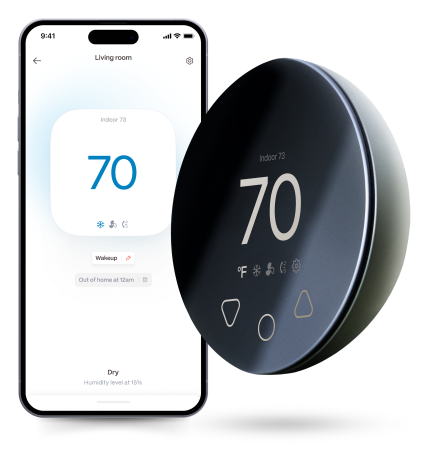
If your mini-split's built-in WiFi is consistently unreliable — a common issue with older firmware or budget models — a universal smart AC controller like the Boldr Klima replaces the brand app entirely. It connects to your home WiFi independently of the mini-split's built-in module and provides consistent remote control, scheduling, and energy monitoring regardless of the brand module's reliability.
Stay cool and save more. Use code JONES15 to get 15% off your entire order—no strings attached.
Upgrade your comfort with a Klima today.
Frequently Asked Questions
My mini-split connects fine but goes offline every few days — what's causing the pattern?
Intermittent disconnection on a multi-day cycle usually points to one of two things: the router's DHCP lease renewing and assigning a new IP address that the brand's cloud loses track of (fix: assign a static IP to the mini-split's WiFi adapter in your router's DHCP settings), or the WiFi adapter's firmware going into a low-power state. A firmware update through the brand app — if available — often resolves the second issue.
Related reading:
→ How to Make Any Mini-Split Smart Without Rewiring
→ How to Control a Mini-Split with Alexa (Any Brand)
→ Mini-Split Thermostat Compatibility: What Works in 2026


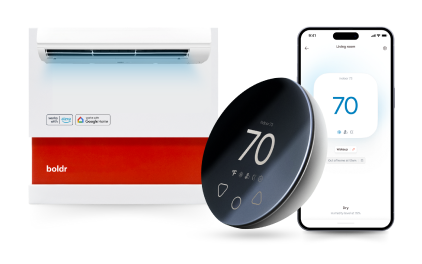
Klima - Smart Home Controller for Mini-splits, Air Conditioners and Heatpumps
Compatible with all brands of ACs and Mini-Splits Automate Climate Management Control remotely Reduce Energy Consumption Monitor bills in realtime
Try NowRecent Articles

Mini-Split Outdoor Unit Clearance 2026 Guide
A mini-split outdoor unit needs air. Lots of it. The condenser pull...
Read More
What Happens if Your Mini-Split Is Too Small?
Most homeowner sizing advice focuses on oversized mini-splits. But ...
Read More
Does a Mini-Split Need a Manual J Load Calculation?
A 500-square-foot room does not automatically need a 12,000 BTU min...
Read More
Signs Your Mini-Split May Have a Refrigerant Leak
A mini-split does not normally “use up” refrigerant the way a car u...
Read More
Mini-Split Minimum Capacity: Why It Matters
When homeowners compare mini-splits, they normally look at the bigg...
Read More