








Sleep mode automatically adjusts a mini-split’s operation during the night to improve comfort, reduce noise or avoid unnecessary energy use.
The exact behavior varies by manufacturer. On some mini-splits, sleep mode gradually changes the set temperature. Others reduce fan speed, dim the display or follow a preset overnight program.
Compatible with all brands of ACs and Mini-Splits
Automate Climate Management
Control remotely
Reduce Energy Consumption
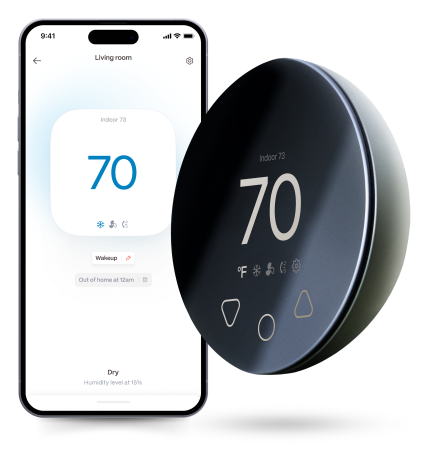
Monitor bills in realtimeKlima - Smart Home Thermostat for Mini-splits, Air Conditioners and Heatpumps
Why Does the Temperature Change While You Sleep?
The temperature that feels comfortable when you first go to bed may feel too cold or too warm several hours later.
Sleep mode attempts to reduce the need for manual adjustments by gradually changing how the system runs overnight.
In cooling mode, some systems increase the setpoint slightly after you fall asleep. In heating mode, they may reduce it.
Always check your mini-split manual because the size and timing of these changes differ.
Sleep Mode vs Timer Mode
Sleep mode follows a manufacturer-designed comfort pattern.
A timer normally performs a simpler command, such as turning the system off after two hours.
Use sleep mode when you want gradual overnight adjustments. Use a timer when you want the unit to turn on or off at a specific time.
A smart schedule may offer greater control by allowing you to choose multiple temperatures throughout the night.
Stay cool and save more. Use code JONES15 to get 15% off your entire order—no strings attached.
Upgrade your comfort with a Klima today.
Is Sleep Mode More Efficient?
It can reduce energy use when it prevents the system from maintaining an unnecessarily aggressive temperature all night.
However, the result depends on the mini-split, weather, room and sleep-mode program.
Efficiency should not come at the expense of safe indoor temperatures for children, older adults, pets or people with temperature-sensitive health needs.
How to Make a Bedroom More Comfortable
- Clean the indoor unit’s filters.
- Avoid directing airflow directly at the bed.
- Close windows and exterior doors.
- Use curtains to reduce daytime heat gain.
- Choose a moderate starting temperature.
- Reduce sudden setpoint changes.
- Check humidity as well as temperature.
- Use a quiet or low fan setting where appropriate.
When Built-In Sleep Mode Is Too Limited
Some mini-splits offer only one preset sleep pattern. It may not match your schedule, room or climate.
Klima by Boldr allows users to create custom schedules for compatible mini-splits. You can set different temperatures for bedtime, overnight hours and morning rather than relying only on the manufacturer’s preset sleep mode.


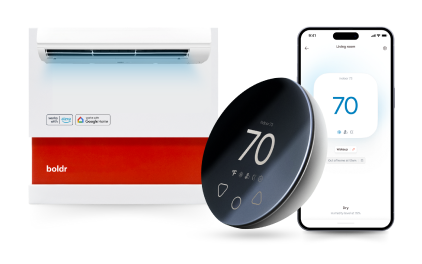
Klima - Smart Home Controller for Mini-splits, Air Conditioners and Heatpumps
Compatible with all brands of ACs and Mini-Splits Automate Climate Management Control remotely Reduce Energy Consumption Monitor bills in realtime
Try NowRecent Articles

Mini-Split Outdoor Unit Clearance 2026 Guide
A mini-split outdoor unit needs air. Lots of it. The condenser pull...
Read More
What Happens if Your Mini-Split Is Too Small?
Most homeowner sizing advice focuses on oversized mini-splits. But ...
Read More
Does a Mini-Split Need a Manual J Load Calculation?
A 500-square-foot room does not automatically need a 12,000 BTU min...
Read More
Signs Your Mini-Split May Have a Refrigerant Leak
A mini-split does not normally “use up” refrigerant the way a car u...
Read More
Mini-Split Minimum Capacity: Why It Matters
When homeowners compare mini-splits, they normally look at the bigg...
Read More