








Resetting an LG mini-split clears error codes and temporary faults that can leave the unit locked out or unresponsive. LG offers three reset methods: a circuit breaker reset (most effective for clearing error codes), a remote control reset, and a reset through the LG ThinQ app for WiFi-connected models. This guide covers all three with exact steps.
Method 1: Circuit Breaker Reset (Recommended)
Step 1: Turn the unit off with the remote (press the ON/OFF button).
Step 2: Go to your electrical panel and switch off the dedicated breaker for the LG mini-split.
Step 3: Wait 30 seconds. For persistent error codes, wait 5 full minutes to allow full discharge of the control board capacitors.
Step 4: Switch the breaker back on.
Step 5: Wait 3 full minutes before operating. LG compressors have a built-in short-cycle protection timer after any power interruption. Pressing the ON button during this window resets the timer — do not press anything for 3 minutes.
Step 6: Turn on with the remote and check for normal operation.
BLOCK-CTA-1]
Method 2: Remote Control Reset
The LG remote has a small RESET pinhole button, typically on the back panel or bottom edge.
Step 1: Use a thin pin, paperclip, or pen tip to press the recessed RESET button for 3 seconds.
Step 2: The remote display will blank and restart with default settings.
Step 3: Re-enter your preferred temperature, mode, and fan speed settings.
Note: This resets the remote's memory only — not the indoor unit's error log. Use the breaker method to clear fault codes from the unit itself.
Method 3: LG ThinQ App Reset
For LG mini-splits connected to the LG ThinQ smart home app:
Step 1: Open the LG ThinQ app and navigate to your mini-split device.
Step 2: Tap the settings gear icon → Device Settings → Factory Reset (or Restart Device, depending on your model).
Step 3: Confirm the reset. The unit will reboot and reconnect to WiFi.
Reset Method Comparison
| Method | Clears Error Codes? | Clears Schedule? | Best For |
|---|---|---|---|
| Breaker reset | Yes | Yes | Error codes, unresponsive unit, fault clearing |
| Remote reset button | No | Yes | Remote out of sync or frozen display |
| LG ThinQ app reset | Partially | Yes | WiFi connectivity issues, app sync problems |
Frequently Asked Questions
My LG mini-split won't start after a reset — what's wrong?
Almost always the 3-minute compressor protection timer. After any power interruption, LG systems delay compressor startup by 3 minutes to prevent short-cycling damage. Do not press any buttons — wait the full 3 minutes. If the unit still won't start after 3 minutes, check the display for an active error code.
How many times can I reset my LG mini-split?
There is no limit to how many times you can perform a breaker reset. However, if the same error code returns repeatedly after resetting, continuing to reset without addressing the root cause is not a solution. A recurring code indicates a real hardware fault that requires technician diagnosis.
Related reading:
→ How to Reset a Mini-Split: Step-by-Step for Every Brand
→ Mini-Split Not Working? How to Diagnose Common Issues
→ Mini-Split Error Codes: Complete Guide by Brand


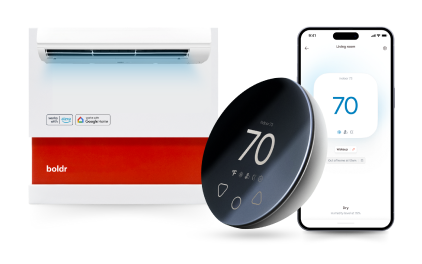
Klima - Smart Home Controller for Mini-splits, Air Conditioners and Heatpumps
Compatible with all brands of ACs and Mini-Splits Automate Climate Management Control remotely Reduce Energy Consumption Monitor bills in realtime
Try NowRecent Articles

Mini-Split Outdoor Unit Clearance 2026 Guide
A mini-split outdoor unit needs air. Lots of it. The condenser pull...
Read More
What Happens if Your Mini-Split Is Too Small?
Most homeowner sizing advice focuses on oversized mini-splits. But ...
Read More
Does a Mini-Split Need a Manual J Load Calculation?
A 500-square-foot room does not automatically need a 12,000 BTU min...
Read More
Signs Your Mini-Split May Have a Refrigerant Leak
A mini-split does not normally “use up” refrigerant the way a car u...
Read More
Mini-Split Minimum Capacity: Why It Matters
When homeowners compare mini-splits, they normally look at the bigg...
Read More