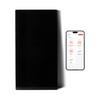







Through the Boldr Energy app, you can create a temperature range lock for your Boldr devices and limit the maximum/minimum temperatures that can be set.
This feature helps prevent rooms from becoming too hot or too cold, reducing excessive energy consumption. It is especially useful for large households or Airbnb owners who want to maintain a comfortable and cost efficient environment.
This smart feature allows you to set temperature locks for your device. Whether it’s family, roommates, or guests, everyone can adjust the device within the limits you set. This ensures comfort while preventing unnecessary overuse of your appliance.
Klima - Smart Home Thermostat for Mini-splits, Air Conditioners and Heatpumps
Compatible with all brands of ACs and Mini-Splits Automate Climate Management Control remotely Reduce Energy Consumption Monitor bills in realtime
Try Now
How to Add Temperature Limits
- Open the Boldr Energy app.
- On the Home page, select the room where you want to add temperature limits.
- Tap the Settings icon at the top right of the page.
- Select Property Target Limits and turn on the Target Limits category when prompted.
- You will see a list of rooms connected to Boldr devices—select the room you want to add temperature limits to.
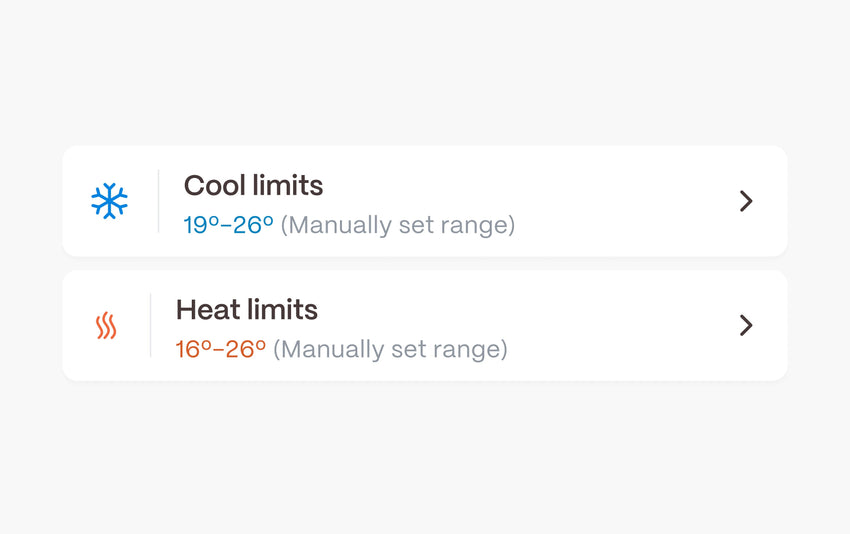
- In the Room Settings, you will have two options:
- Cool Limits – Set the maximum and minimum cooling range.
- Heat Limits – Set the maximum and minimum heating range.
- Adjust the temperature limits to your preferred settings.


Why the Temperature Limits Feature Is Important
- Prevents Overheating or Overcooling – Ensures rooms stay within a comfortable temperature range.
- Reduces Energy Waste – Helps lower energy bills by preventing unnecessary heating or cooling.
-
Ideal for Shared Spaces – Useful for households with multiple members or rental properties to avoid excessive temperature adjustments.
Download & log into the Boldr Energy App:
|
|
Click on the icons below to If you have any questions, you can always reach our customer success team here.
|



Klima - Smart Home Thermostat for Mini-splits, Air Conditioners and Heatpumps
Compatible with all brands of ACs and Mini-Splits Automate Climate Management Control remotely Reduce Energy Consumption Monitor bills in realtime
Try NowRecent Articles

Mini-Split Outdoor Unit Clearance 2026 Guide
A mini-split outdoor unit needs air. Lots of it. The condenser pull...
Read More
What Happens if Your Mini-Split Is Too Small?
Most homeowner sizing advice focuses on oversized mini-splits. But ...
Read More
Does a Mini-Split Need a Manual J Load Calculation?
A 500-square-foot room does not automatically need a 12,000 BTU min...
Read More
Signs Your Mini-Split May Have a Refrigerant Leak
A mini-split does not normally “use up” refrigerant the way a car u...
Read More
Mini-Split Minimum Capacity: Why It Matters
When homeowners compare mini-splits, they normally look at the bigg...
Read More