







A bedroom can feel comfortable at bedtime and become uncomfortably cold several hours later—even though nobody changed the remote.
Nighttime outdoor temperatures, reduced room heat, sensor position and airflow patterns can all change how the mini-split behaves.
The temperature shown on the display may not match conditions at the bed.
Outdoor Conditions Change Overnight
As the outdoor temperature falls, the room’s cooling load decreases.
A system that needed substantial output at 9 p.m. may require very little cooling at 3 a.m.
If the mini-split cannot reduce below its minimum capacity, it may cycle or temporarily overcool the room.
Compatible with all brands of ACs and Mini-Splits
Automate Climate Management
Control remotely
Reduce Energy Consumption
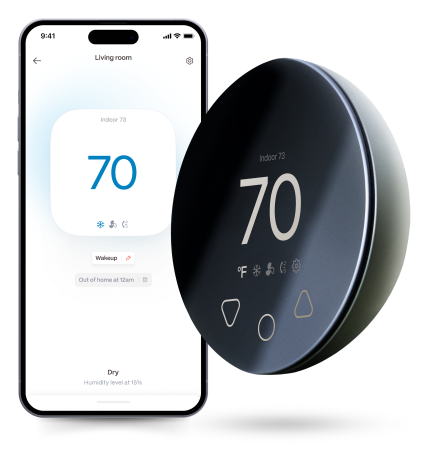
Monitor bills in realtimeKlima - Smart Home Thermostat for Mini-splits, Air Conditioners and Heatpumps
The Sensor Is High on the Wall
The mini-split usually measures temperature at the indoor head.
Cool air can settle around the bed while warmer air remains near the ceiling.
The unit may therefore sense a warmer temperature and continue cooling even though the sleeping area is already cold.
Airflow May Be Directed at the Bed
A direct draft can make sleepers feel colder than the measured room temperature.
Adjust the louvers so that air travels:
- Across the room
- Above the bed
- Away from the pillows
- Through a wider swing pattern
Do not force motorised louvers by hand.
The System May Be Oversized
An oversized unit can cool a bedroom quickly and produce noticeable temperature swings.
Signs include:
- Short cycles
- Strong bursts of cold air
- A clammy room
- Frequent starts and stops
- Large differences across the room
Variable-speed systems help, but they cannot always reduce output enough for a small nighttime load.
Sleep Mode May Be Configured Differently Than Expected
Some sleep modes gradually raise the cooling setpoint.
Others alter fan speed, display brightness or timing.
A timer may also turn the system back on with an earlier setting.
Check:
- Sleep mode
- Off timer
- On timer
- Weekly schedule
- App automations
- Voice-assistant routines
The Remote May Be Sending Temperature Data
If Follow Me or I Feel mode is enabled, the remote may be acting as the room sensor.
A remote left:
- Near a lamp
- Under bedding
- On a warm bedside charger
- In direct airflow
- Beside an open window
can produce misleading information.
Try a Gradual Overnight Schedule
Instead of one temperature all night, use a schedule such as:
- Bedtime: comfortable cooling setpoint
- Two hours later: raise by one degree
- Middle of night: raise by another degree
- Morning: return to daytime setting
Make small changes and evaluate the result over several nights.
Use Lower Air Speed Carefully
A quieter or lower fan speed may reduce drafts, but extremely low airflow can create uneven room temperatures.
Auto fan may provide better coil and comfort management on some systems.
Check the Temperature at Bed Height
Place a separate thermometer near—but not inside—the sleeping area.
Keep it away from:
- Direct airflow
- Body heat
- Electronics
- Windows
- Exterior walls
Compare the reading with the mini-split display over several hours.
Stay cool and save more. Use code JONES15 to get 15% off your entire order—no strings attached.
Upgrade your comfort with a Klima today.
Frequently Asked Questions
Why is the room colder than the set temperature?
Sensor location, calibration, airflow and minimum system output can all create a difference.
Should I turn the mini-split off before sleeping?
Not necessarily. A moderate overnight schedule may provide more stable comfort.
Will Quiet mode stop overcooling?
It may reduce fan noise or airflow but does not necessarily change compressor operation enough to solve the problem.
Can a separate sensor improve comfort?
It can help when positioned near the occupied area, provided the mini-split or controller can respond to that sensor.


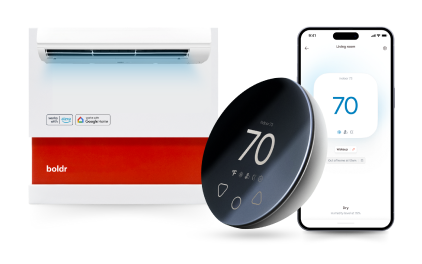
Klima - Smart Home Controller for Mini-splits, Air Conditioners and Heatpumps
Compatible with all brands of ACs and Mini-Splits Automate Climate Management Control remotely Reduce Energy Consumption Monitor bills in realtime
Try NowRecent Articles

Mini-Split Outdoor Unit Clearance 2026 Guide
A mini-split outdoor unit needs air. Lots of it. The condenser pull...
Read More
What Happens if Your Mini-Split Is Too Small?
Most homeowner sizing advice focuses on oversized mini-splits. But ...
Read More
Does a Mini-Split Need a Manual J Load Calculation?
A 500-square-foot room does not automatically need a 12,000 BTU min...
Read More
Signs Your Mini-Split May Have a Refrigerant Leak
A mini-split does not normally “use up” refrigerant the way a car u...
Read More
Mini-Split Minimum Capacity: Why It Matters
When homeowners compare mini-splits, they normally look at the bigg...
Read More