








A snowflake. A sun. A water droplet. A tiny fan. Several arrows that seem to point in completely different directions.
Mini-split remotes can be surprisingly confusing.
Although remote controls differ between Daikin, Mitsubishi, Fujitsu, LG, Gree, Midea and other manufacturers, many use similar symbols to represent their basic functions. Recent 2026 homeowner guides for Mitsubishi, Fujitsu, Daikin and Hitachi remotes show that searches around these icons remain active, while manufacturers such as Haier also provide official icon guides for their ductless equipment.
Here is what the most common symbols usually mean.
Compatible with all brands of ACs and Mini-Splits
Automate Climate Management
Control remotely
Reduce Energy Consumption
Monitor bills in realtimeKlima - Smart Home Thermostat for Mini-splits, Air Conditioners and Heatpumps
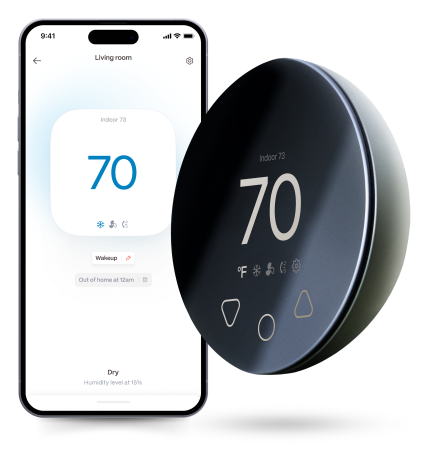
Snowflake Symbol: Cool Mode
The snowflake normally means Cool.
In this mode, the mini-split actively removes heat from the room.
Use Cool when the goal is to lower the actual room temperature.
Do not confuse it with Fan mode. A fan can make occupants feel more comfortable, but it does not actively refrigerate the room.
Sun Symbol: Heat Mode
The sun normally represents Heat.
The heat pump reverses its refrigeration cycle and transfers heat into the room.
There can be a delay between selecting Heat and feeling warm air because many systems wait for the indoor coil to warm before increasing fan speed.
Water Droplet Symbol: Dry Mode
A droplet generally represents Dry or dehumidification mode.
Dry mode attempts to remove moisture while limiting how aggressively the system cools.
Exactly how it operates varies substantially between manufacturers, so it should not be treated as identical to a dedicated dehumidifier.
Haier, for example, identifies the droplet icon as Dry/Dehumidification on its ductless remote guidance.
Fan Symbol: Fan-Only Mode
The fan symbol normally means the indoor blower operates without active heating or cooling.
Fan mode can help circulate existing room air.
It does not usually:
- Lower the actual air temperature
- Add heat
- Provide fresh outdoor air
- Act as a substitute for ventilation
Auto Symbol
Auto mode allows the mini-split to make more operating decisions itself.
Depending on the system, Auto may select:
- Heating or cooling
- Fan speed
- Airflow
- A combination of those functions
This is where confusion becomes common because Auto fan and Auto operating mode are not necessarily the same setting.
Always check the manual for the exact unit.
Fan Bars
Several bars beside the fan symbol usually indicate fan speed.
For example:
- One bar = low
- Two bars = medium
- Three or more = high
- Auto = fan speed selected automatically
More fan speed can move conditioned air around the room faster but may also increase perceived noise and drafts.
Swing Symbol
Swing usually controls the motorized louvers.
A vertical arrow often changes up-and-down airflow.
Some systems also have horizontal swing for left-to-right distribution.
Do not manually force motorized louvers unless the manufacturer specifically says they are manually adjustable.
Moon Symbol
A moon often represents Sleep mode.
Sleep functions vary by manufacturer but can change factors such as:
- Set temperature
- Fan speed
- Display brightness
- Timer behavior
Do not assume Sleep mode simply makes the unit quieter.
Leaf or Eco Symbol
A leaf commonly indicates Eco, Econo or Energy Saving mode.
What it actually does varies.
It may adjust:
- Compressor output
- Fan operation
- Temperature targets
- Occupancy response
That variability is important: there is no universal industry definition of how every mini-split must behave after the Eco button is pressed.
Powerful, Jet or Turbo Symbol
This setting asks the mini-split to prioritize rapid comfort.
The system may temporarily increase compressor and fan output.
It can be helpful when returning to a very hot or cold room, but it is generally unnecessary once the room approaches the desired temperature.
Clock Symbol
The clock normally relates to:
- On timer
- Off timer
- Weekly schedule
A forgotten timer is a common reason a mini-split appears to turn itself on or off unexpectedly.
Lock or Key Symbol
This usually locks the remote buttons.
If the remote suddenly stops responding but the display still works, check whether the keypad lock was activated accidentally.
Wi-Fi Symbol
On Wi-Fi-capable models, this indicates connectivity status.
A flashing icon may indicate:
- Pairing mode
- Lost connection
- Network setup
The exact pattern is manufacturer-specific.
Stay cool and save more. Use code JONES15 to get 15% off your entire order—no strings attached.
Upgrade your comfort with a Klima today.
Frequently Asked Questions
What does the snowflake mean?
Cool mode.
What does the sun mean?
Heat mode.
What does the water droplet mean?
Usually Dry or dehumidification mode.
Why are symbols different between brands?
Each manufacturer designs its own controller and may add proprietary functions.


Klima - Smart Home Controller for Mini-splits, Air Conditioners and Heatpumps
Compatible with all brands of ACs and Mini-Splits Automate Climate Management Control remotely Reduce Energy Consumption Monitor bills in realtime
Try NowRecent Articles

Mini-Split Outdoor Unit Clearance 2026 Guide
A mini-split outdoor unit needs air. Lots of it. The condenser pull...
Read More
What Happens if Your Mini-Split Is Too Small?
Most homeowner sizing advice focuses on oversized mini-splits. But ...
Read More
Does a Mini-Split Need a Manual J Load Calculation?
A 500-square-foot room does not automatically need a 12,000 BTU min...
Read More
Signs Your Mini-Split May Have a Refrigerant Leak
A mini-split does not normally “use up” refrigerant the way a car u...
Read More
Mini-Split Minimum Capacity: Why It Matters
When homeowners compare mini-splits, they normally look at the bigg...
Read More